

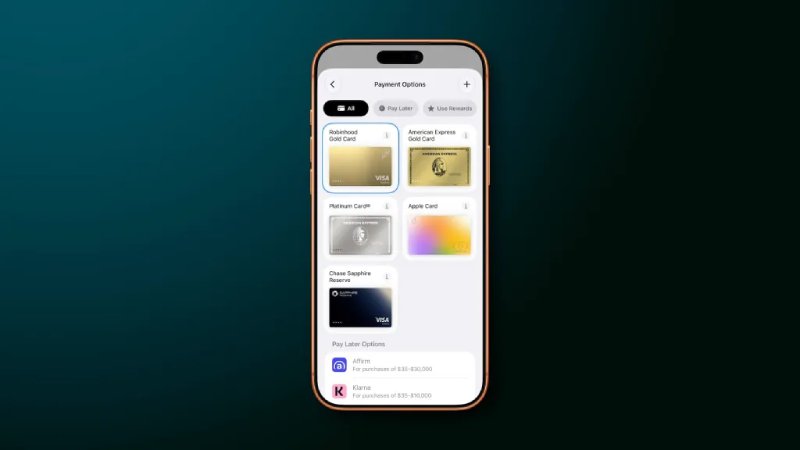
Apple has revamped the Apple Pay checkout experience in iOS 27 for apps and websites. The updated design makes it simpler to move between different payment cards while providing easier access to important information about the order being placed.
With iOS 27, users can swipe between their payment cards directly from the main Apple Pay interface. Tapping a card also opens a grid-style view where all available Apple Pay cards can be seen together.
Apple explains:
"Apple Pay is introducing an updated design for users when they check out on the web and in apps. The design allows them to seamlessly swipe to switch cards, conveniently surfacing important information about their eligible cards in Apple Wallet — including rewards, balances, debit account balance, pay later options, and more — so they can make more informed payment decisions."
Merchants and developers determine which information is displayed within the Apple Pay payment sheet, based on the specific details required to complete an order.
The Apple Pay checkout experience in iOS 26 had been criticized for being difficult to understand. For example, users frequently selected the wrong option when attempting to change their payment card. Tapping the card itself may seem like the obvious way to switch cards, but in iOS 26, doing so opened the address-editing interface instead. To choose another card, users had to select a separate button positioned at the bottom of the screen. iOS 27 simplifies this process and makes the available controls much more straightforward.
iOS 27 introduces a broad selection of new feature..

YouTube is upgrading its comments section while al..