

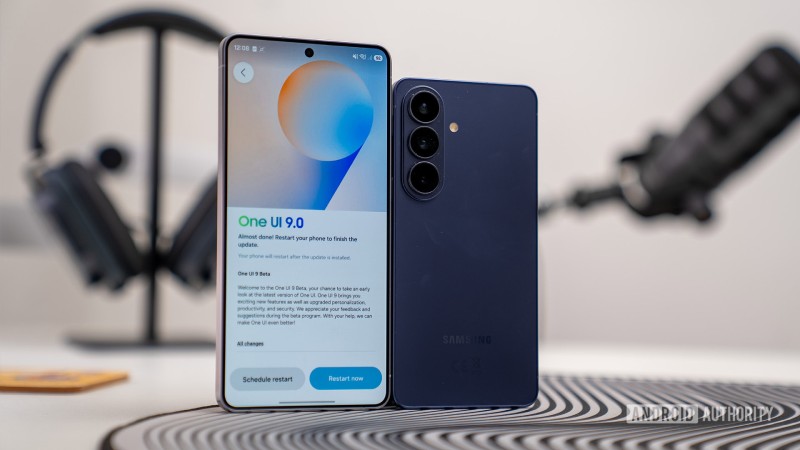
Samsung is now delivering its One UI 9 update to Galaxy smartphones, with the rollout beginning on September 16 and gradually extending to additional devices. If you are in a supported region and own an eligible model, One UI 9 may already be available for download — and if it is not, its arrival should not be far away. However, before installing the update, there are a few preparations you should take care of.
A large portion of the Android-17-based One UI 9 experience revolves around new AI capabilities, including the smart tracking offered by the My Fancam feature and the context-aware suggestions provided by Now Nudge, which can bring up reservation information or store location details while you are messaging. The update also introduces broader scam-detection support and AI-powered privacy notifications designed to identify potential security breaches in the background. If features such as these have you eager to install the update, you will first want to prepare your phone.
First, you should confirm that your smartphone qualifies for the update; owners of at least an S23 series device, or a Z Flip or Z Fold no older than the 5 models, will be eligible once the complete One UI 9 release arrives. The full stable version has only recently begun its rollout for the S26 series, so it could still take some time before it reaches the broader Galaxy ecosystem. To see whether the update is ready, open Settings > Software Update > Check for updates if your phone has not already notified you about an available release. From the Software Update section, you can also select Download and install to arrange for the update to download automatically later, including a scheduled time when your phone is charging.
However, you should not immediately begin the installation without taking a few basic precautions. The update requires around 4GB of storage, meaning you should clear at least that amount of space while leaving some additional room available. You should also ensure that the battery is sufficiently charged before beginning the update — and if you have scheduled it, confirm that the phone will have enough battery power and access to a Wi-Fi connection when the installation takes place. If you are concerned about something going wrong during the update process, be sure to back up your important files either physically or to the Cloud.
Samsung is continuing to release beta builds of One UI 9 for older Galaxy devices alongside the stable rollout. Although Samsung introduced its One UI 9 beta for its newest Galaxy phones months ago, a second beta version has now been released for the Galaxy A55 and A35, along with the S24 series. The rollout for the two A series models is beginning in South Korea, while the Beta 2 release for the S24 is initially launching in India.
The A55 update requires approximately 403.66MB, while A35 owners should have around 500MB of free storage available for the second beta release. At present, the S24 is receiving the biggest of these new beta packages, with a listed size of 600.90MB. The same precautions mentioned above should be followed when installing these less-stable beta builds, although you can only qualify for the first two if your device is already enrolled in Samsung's One UI 9 beta program.
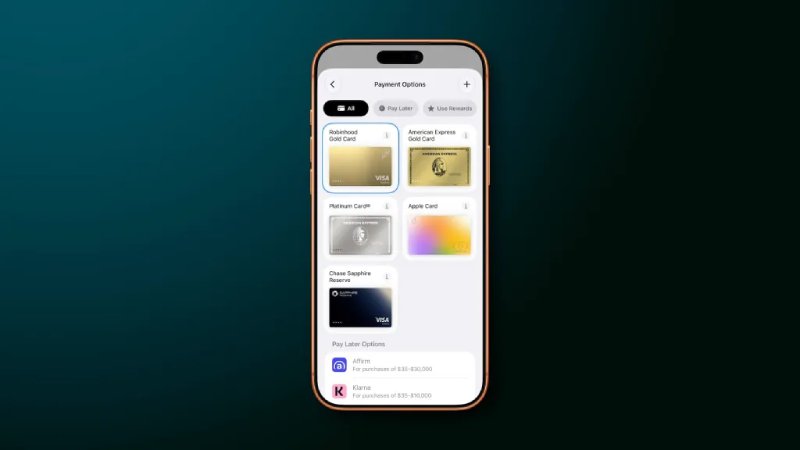
Apple has revamped the Apple Pay checkout experien..
iOS 27 introduces a broad selection of new feature..